
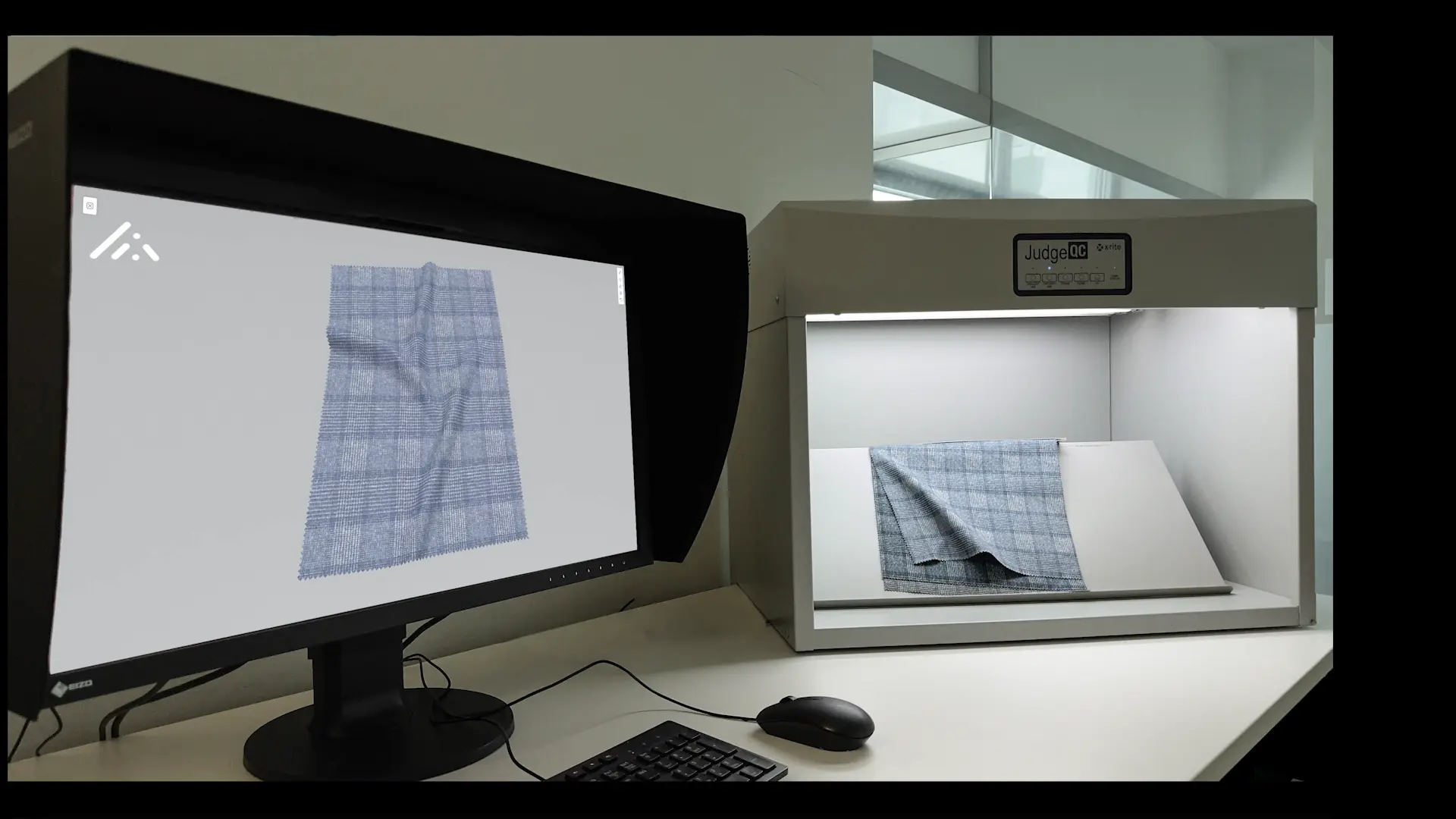
Retouching against a digital fabric reference
One fabric, scanned once, trusted all the way to the final fashion image.
Full webinar recording, about 61 minutes. EIZO x JWI x ColorDigital, 2025.
The challenge
A garment's color is decided early and checked late. In between, it passes through hands, screens and rooms that each see it a little differently.
For retouchers, the end of that chain is where it hurts. The reference is often a physical swatch next to the screen, or a phone photo of one taken under whatever light was in the room. Matching a garment then means comparing two light sources, moving your head between them, and trusting your eyes after hours at the screen.
Nobody in that chain is doing anything wrong. The problem is that the reference itself changes with the light it is seen in.
The workflow
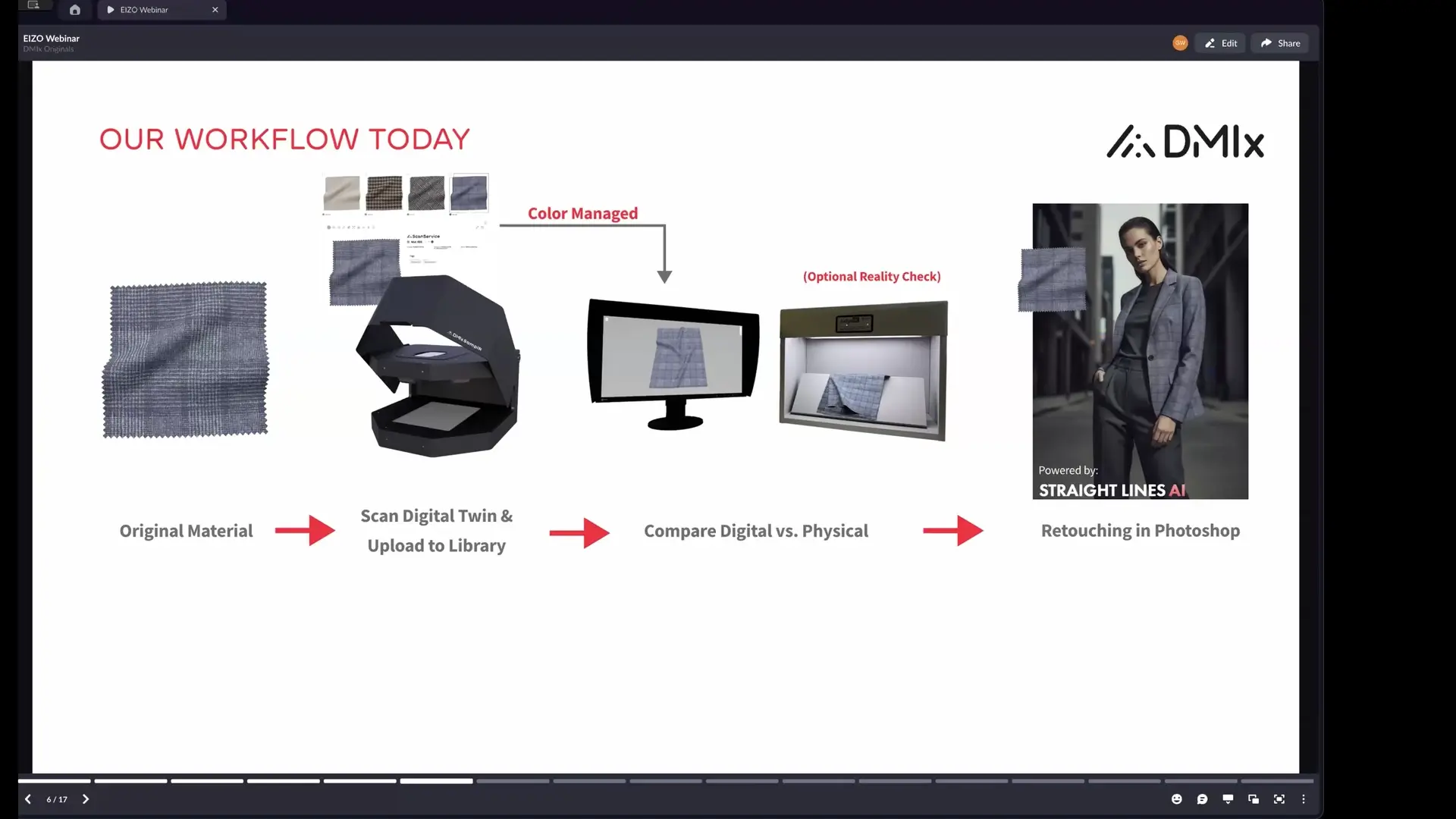
The webinar followed one fabric from the physical sample to the final retouched image.
- 1
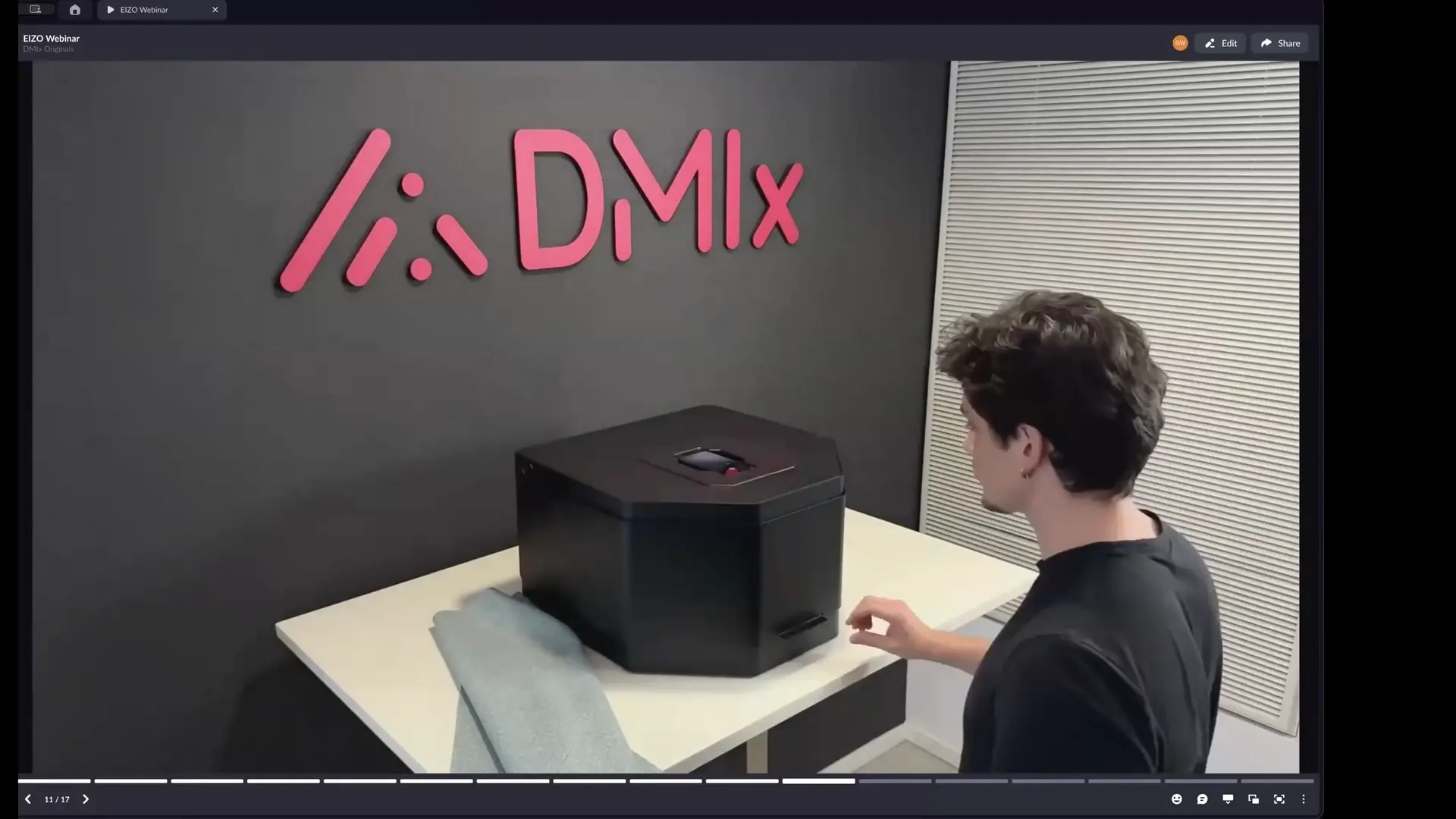
Scan the fabric with DMIx SamplR.
An iPhone on top of the scanner captures color-accurate images, PBR textures for 3D tools, an appearance video under different light settings and a behaviour video of the material in motion. One button, no cutting of the material.
- 2
Store it in the DMIx library.
The scan uploads automatically and is ready to share across teams and partners.
- 3
Display it color-managed and true to size.
Each user uploads the ICC profile of their monitor to DMIx, and the platform adjusts the display to that screen. A check pattern appears at its real size.
- 4
View it on a monitor built for color work.
EIZO ColorEdge monitors cover a wide color gamut, are corrected for uniformity unit by unit and stay accurate through regular calibration.
- 5
Retouch against the digital reference.
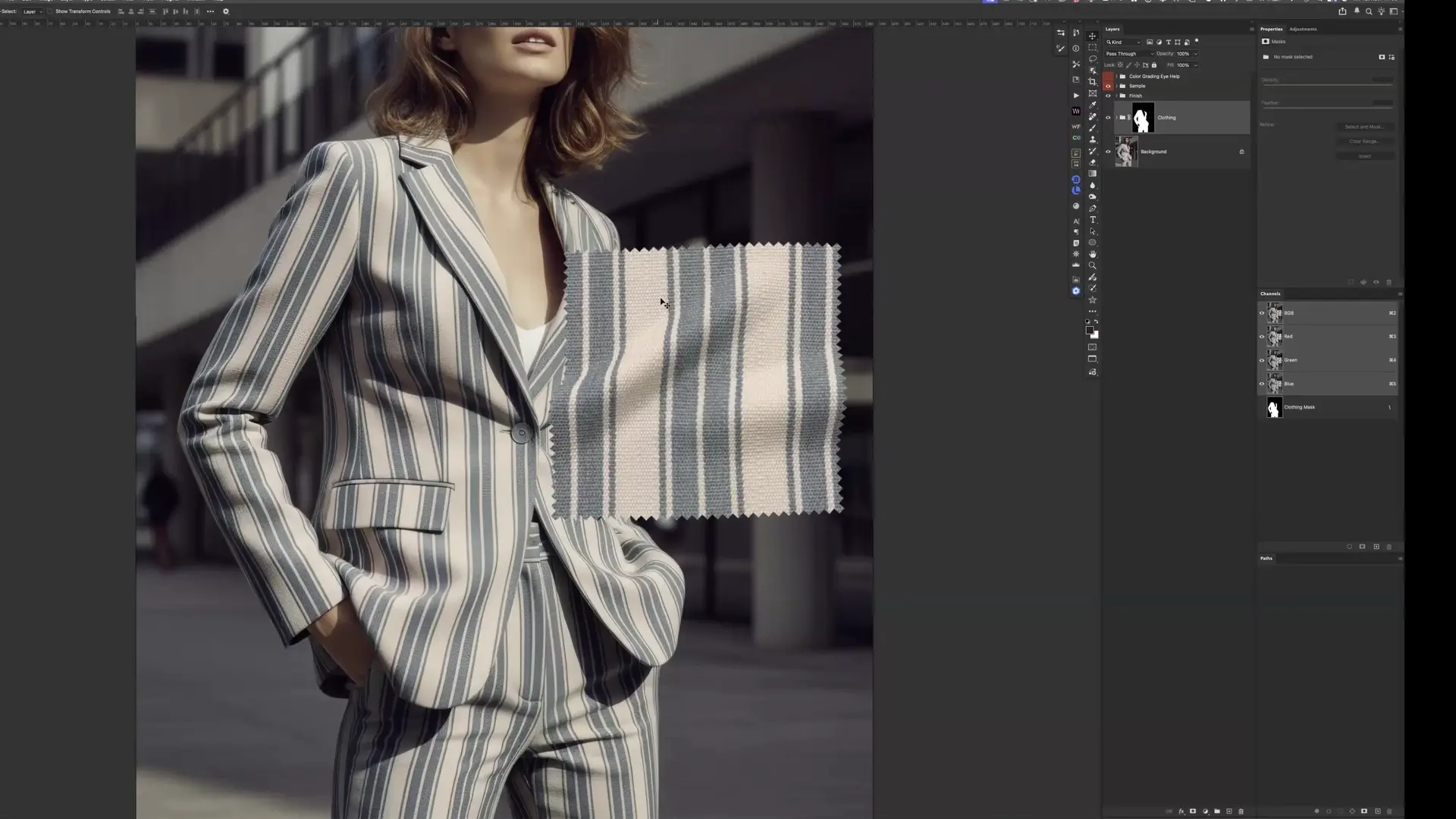
The retoucher downloads the sample from DMIx and matches the photo to it in Photoshop.
In practice
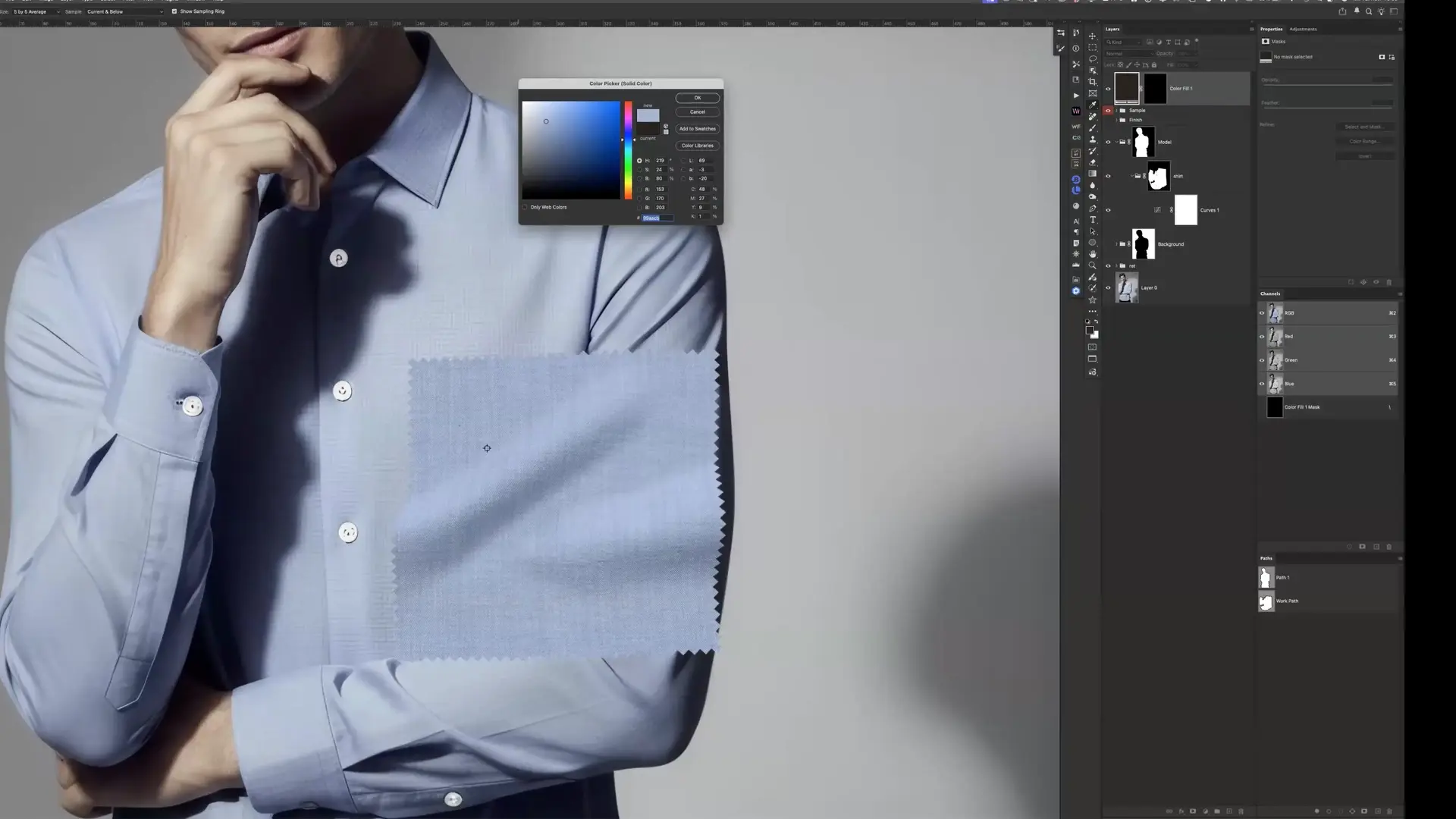
Retouch artist Jan Wischermann matched two garments live on an EIZO ColorEdge monitor: a blue shirt and a two-tone dress.
He uploaded his monitor profile to DMIx, downloaded the scanned samples and placed them directly into his Photoshop files. From there it was craft: masks to isolate each garment, curves and color layers to bring hue and density in line with the sample, selective color for the second garment's two tones.
What changed was not the craft but the reference. The sample on screen no longer depended on room light, on a phone camera or on how long the day had been.
E-commerce and returns
Online, the shopper decides on the image. When the garment that arrives does not look like the picture, it comes back.
Color is one of the main reasons it does. When Coresight Research asked US apparel brands and retailers for their top return reason, color came second, behind size and fit.
of US apparel retailers name color as their top return reason, second only to size and fit
Coresight Research, 2023of surveyed online fashion retailers in Germany, Austria and Switzerland get back more than half of all orders
EHI Retail Institute, 2025Jan Wischermann sees the same gap from the studio side. Shoppers often do not get the color they saw online, and for large e-commerce ranges, photographing and correcting every physical sample by hand takes too much time. A scanned reference that every team trusts closes the color part of that gap at the source: in the product image.
More on this: E-commerce content use case

“We can match it visually because we can trust the source.”Jan Wischermann, retouch artist
“A suitable monitor is really the basic prerequisite for a color-accurate digital workflow.”
“Then we really have this bridge from creative intent to industrial certainty.”
What it means for brands
- One reference for everyone. Design, production, photo studio and retouching work from the same scanned sample.
- No more swatch shipping to the studio. The sample can be scanned where it is made and used wherever the image is finished.
- Less normalising of bad references. Retouchers stop correcting phone photos of swatches before they can start the real work.
- Built for volume. For e-commerce ranges with hundreds of items, a scanned library replaces photographing and correcting every physical sample.
- Ready for AI imagery. The same matching process works for camera images and AI-generated images, as long as the material reference is trustworthy.
What stays human
The tools do not make the color decision, and they do not replace a trained eye. As Jan put it in the webinar, retouchers still have to learn to see. What the workflow removes is the guesswork about whether the reference in front of them is right.
The garment images used in the live demo were AI-generated by Straight Lines AI from the SamplR scans shown in the webinar, because no live photo production was available on the day.
Frequently asked
See the workflow on your own materials
Book a demo and we will scan one of your fabrics and walk you through it on a calibrated screen.
Topics
- Case study
- Color management
- Retouching
- SamplR
- EIZO